Ask your agent to draw it.
Turn a prompt into a mindmap or system diagram you can explore: a codebase you just opened, an architecture, a topic you are learning. Add your own code and notes, and your agent reads the map back as context next time.
No agent? Draw it yourself and share a link.
>
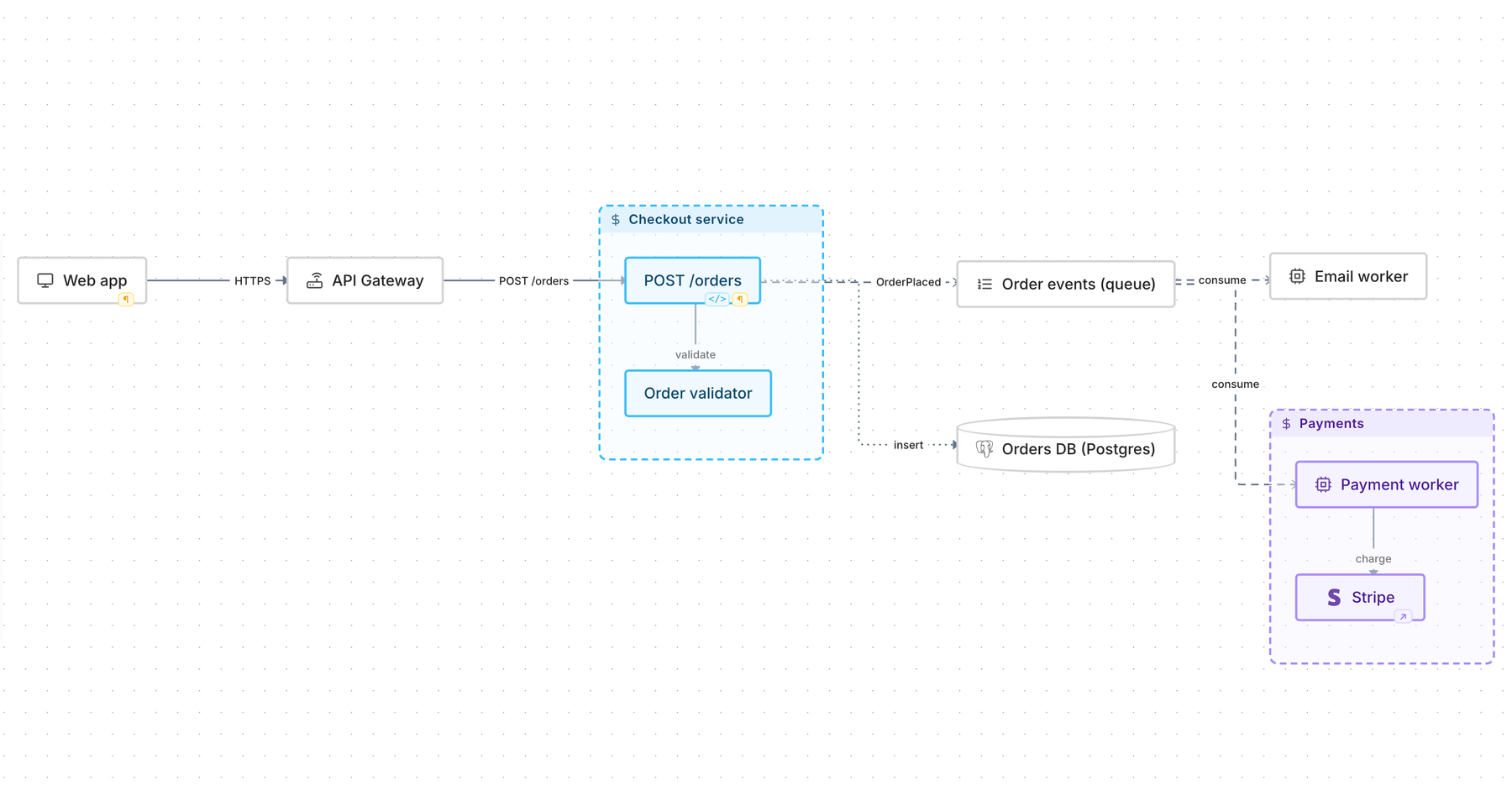
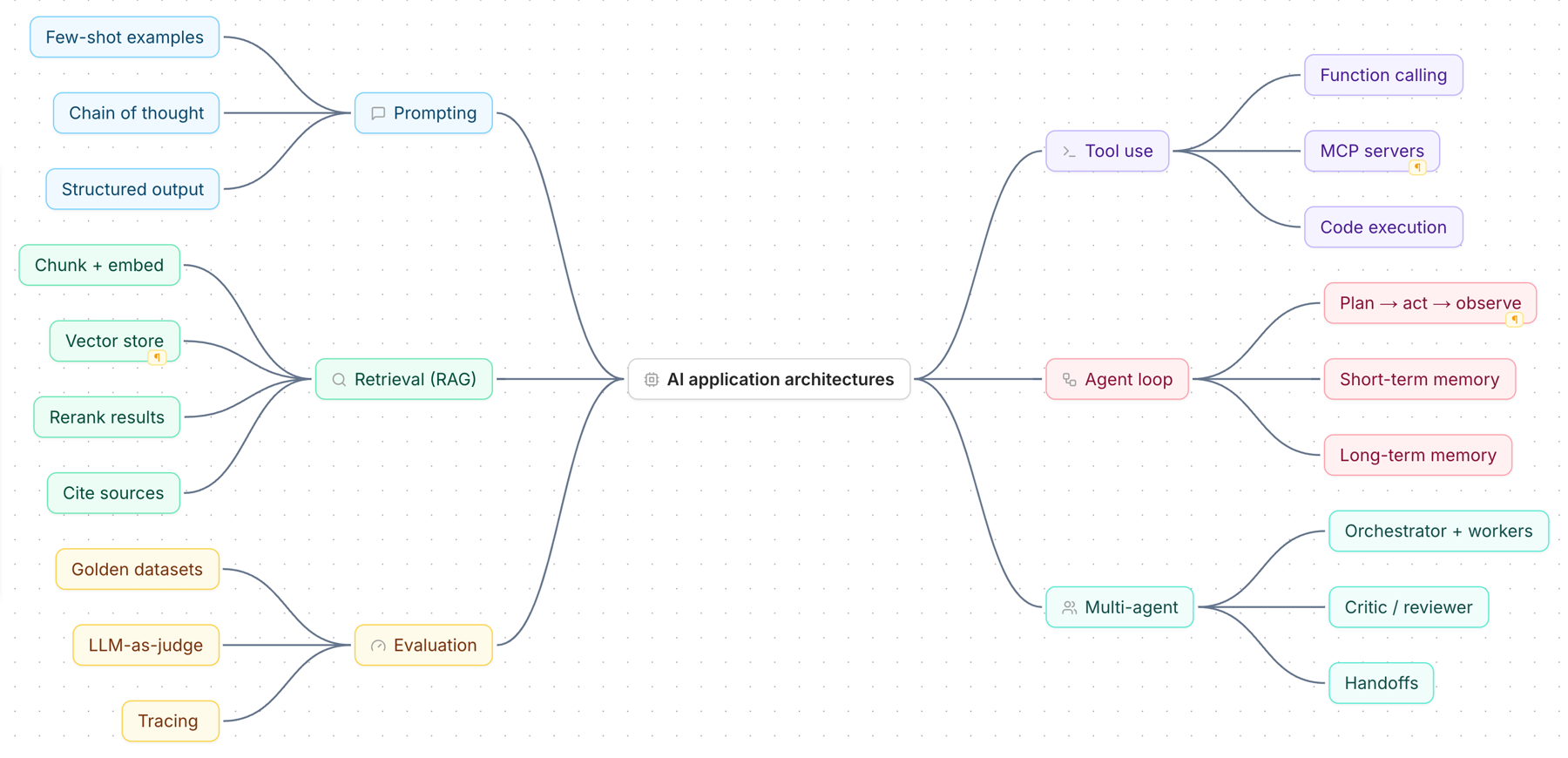
Ask for a map, get a readable one
Mindmaps for topics you are learning, diagrams for systems. Boxes are placed and lines routed around them, whether the map came from an agent, pasted Mermaid or your own hands.
Code and notes on every box
A box can hold a snippet, markdown notes and a link. Hover to read it, click to edit, without leaving the diagram.
Your agent reads it, and asks before changing it
Connect Claude Code or any MCP client. It pulls a map in as context, and edits arrive as a proposal you accept or reject on the canvas.
No agent? Draw it yourself and share it with the team
Wirebook is a full diagram editor too. Sketch how your system fits together, then send one link to the person who needs to understand it.
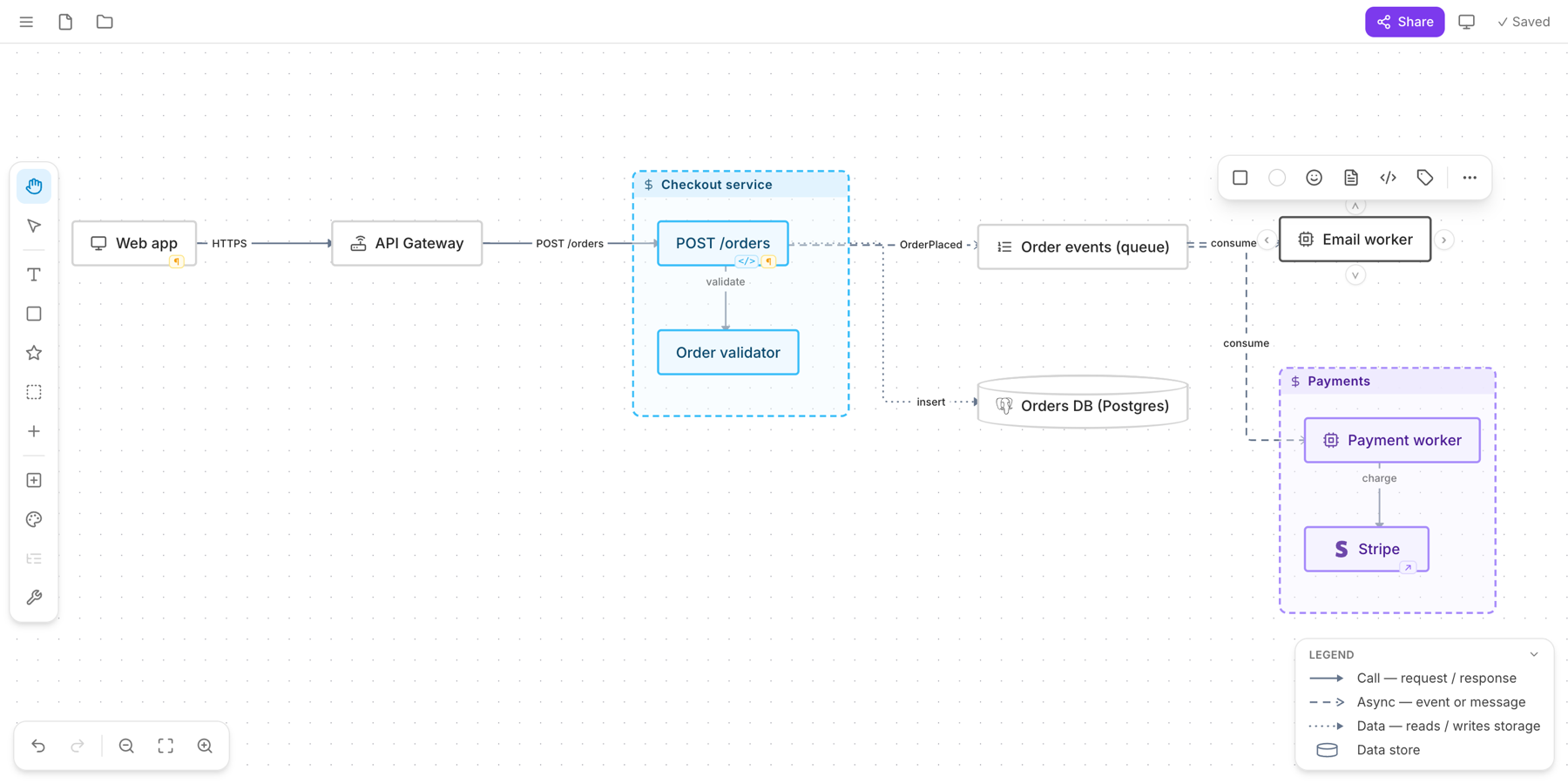
Draw it by hand
Drop shapes from the left rail, drag to connect, group services into boxes. Tab and Enter add nodes if you prefer the keyboard.
Share a read-only link
Share → anyone with the link can view. A new hire opens the architecture map, hovers a box to read its code and notes, and can make their own copy to scribble on.
Bring maps in, take them out
Paste Mermaid, open a .wirebook file, or begin from a starter: a system, an API sequence, a database, a timeline. Export a PNG or SVG for your README, or copy the map as Markdown for any AI chat.
Connect Claude Code in a minute
1
Get a key
Sign in, then File menu → MCP access → Generate key.
2
Add the server
Run one command. The app fills in your key for you.
3
Ask for a map
“Map how auth works in this repo.” It opens in Wirebook, ready to explore.
$ claude mcp add wirebook --transport http https://jie5szb5mh7pou7it74erheiyu0qqbgy.lambda-url.eu-west-2.on.aws/mcp --header "Authorization: Bearer <your-key>" -s user